Features
QualiLens gives an AI model the coding work — and gives you the decisions, the evidence, and the audit trail a reviewer needs to trust the result.
Researcher-led checkpoints
The model proposes. You dispose.
The analysis pipeline pauses at the analytic decision points — code review, category or theme construction, core category selection, framework charting — and waits for your approval. At each checkpoint you can rename, redefine, merge, delete, or add codes. Your edits are final: no later automated stage overwrites a name or definition you set by hand.
The checkpoint panel shows all codes with their evidence. Clicking a code reveals all excerpts assigned to it, with its verbatim quote, the source filename, and a link to view it in context. Multi-select lets you merge duplicates or near-synonyms in one action. Search and sort help you navigate a large code set. A long codebook can also be downloaded as a spreadsheet, revised in Excel, Numbers, or Google Sheets — with a co-coder, with notes — and uploaded again; its decisions load into the checkpoint for you to check before you approve, and the worksheet becomes part of the run's record.
Each decision you make at a checkpoint is recorded: the audit trail logs what changed, the report's appendix summarizes what was decided at each checkpoint, and the complete log exports as one JSON file from the run screen.
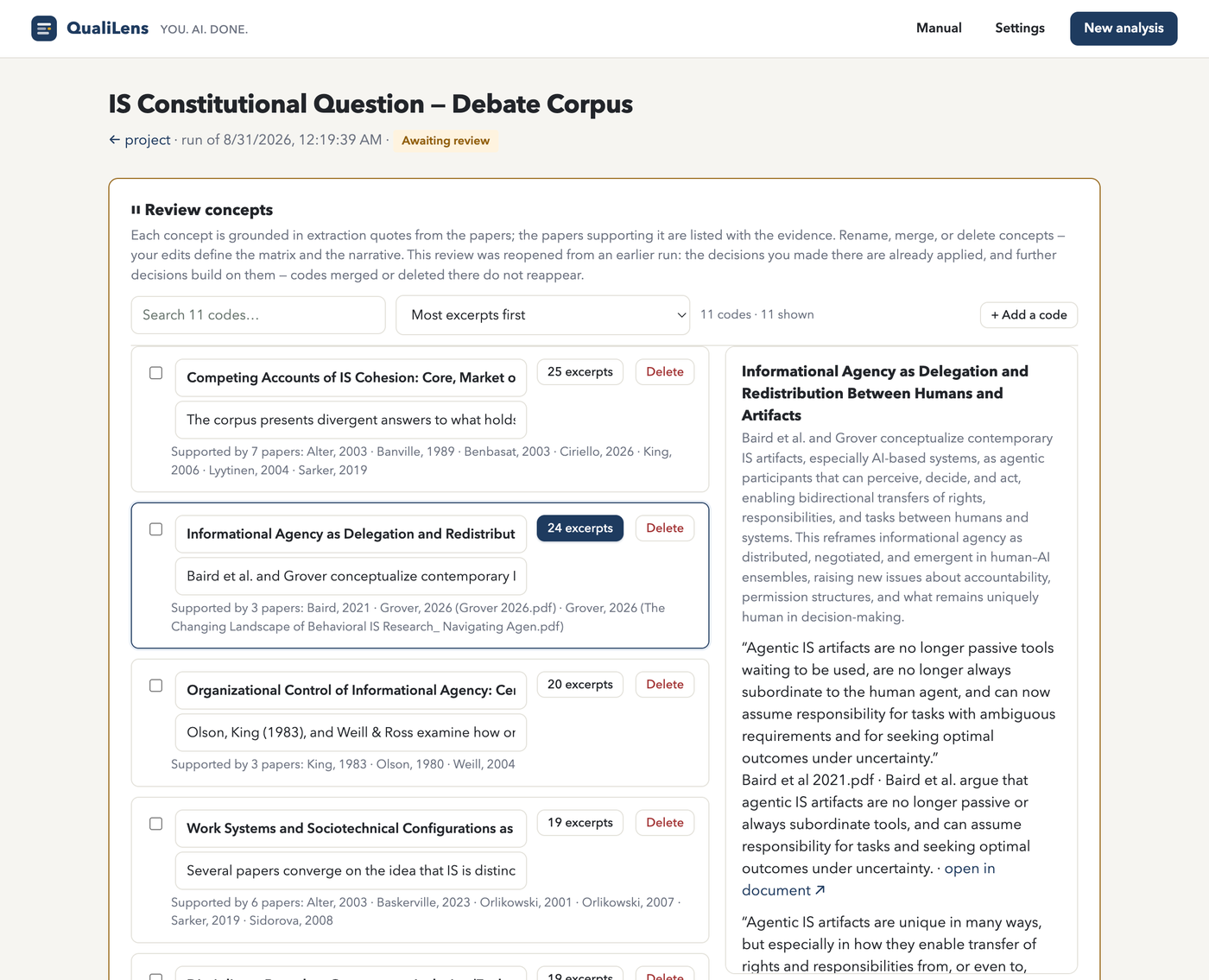
Full audit trail
The pipeline writes a timestamped log entry for all substantive actions: each model call, each checkpoint opened and resolved, each code you renamed or merged, and the exact prompt sent at each stage. The log is stored per-run, viewable alongside the pipeline progress, and reproduced in the Word export's audit appendix. An ethics committee or methods reviewer can trace the entire analytic process from source upload to final report without asking the researcher to reconstruct it from memory.
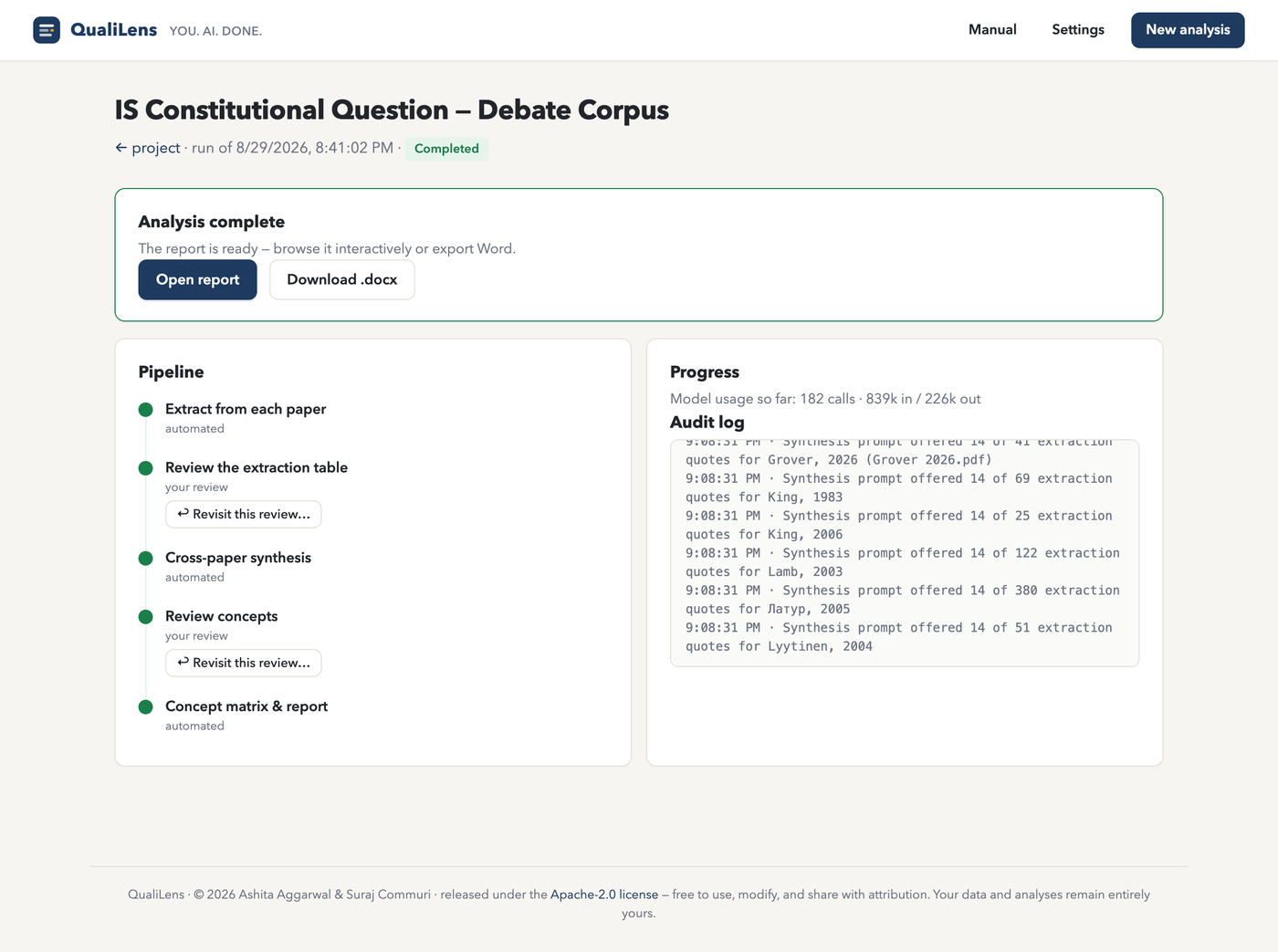
Provenance-first evidence
Each quote linked to its exact position in the source.
Each excerpt stores the verbatim quote and its character offsets. When you click "view in coded document," the coded-source reader opens that document with the excerpt highlighted at its exact location, with all other coded passages in the document shaded around it.
Quotes that the AI model paraphrased rather than copying verbatim are flagged as "not located" and collected in a separate panel. The report marks them not located verbatim instead of quoting them, the Word export lists them outside quotation marks, and the synthesis stage never builds on them — they draw your attention to places where the coder departed from the text without ever passing as quotations.
PDF sources carry page anchors, so quotes in the report name both the source file and the page number.
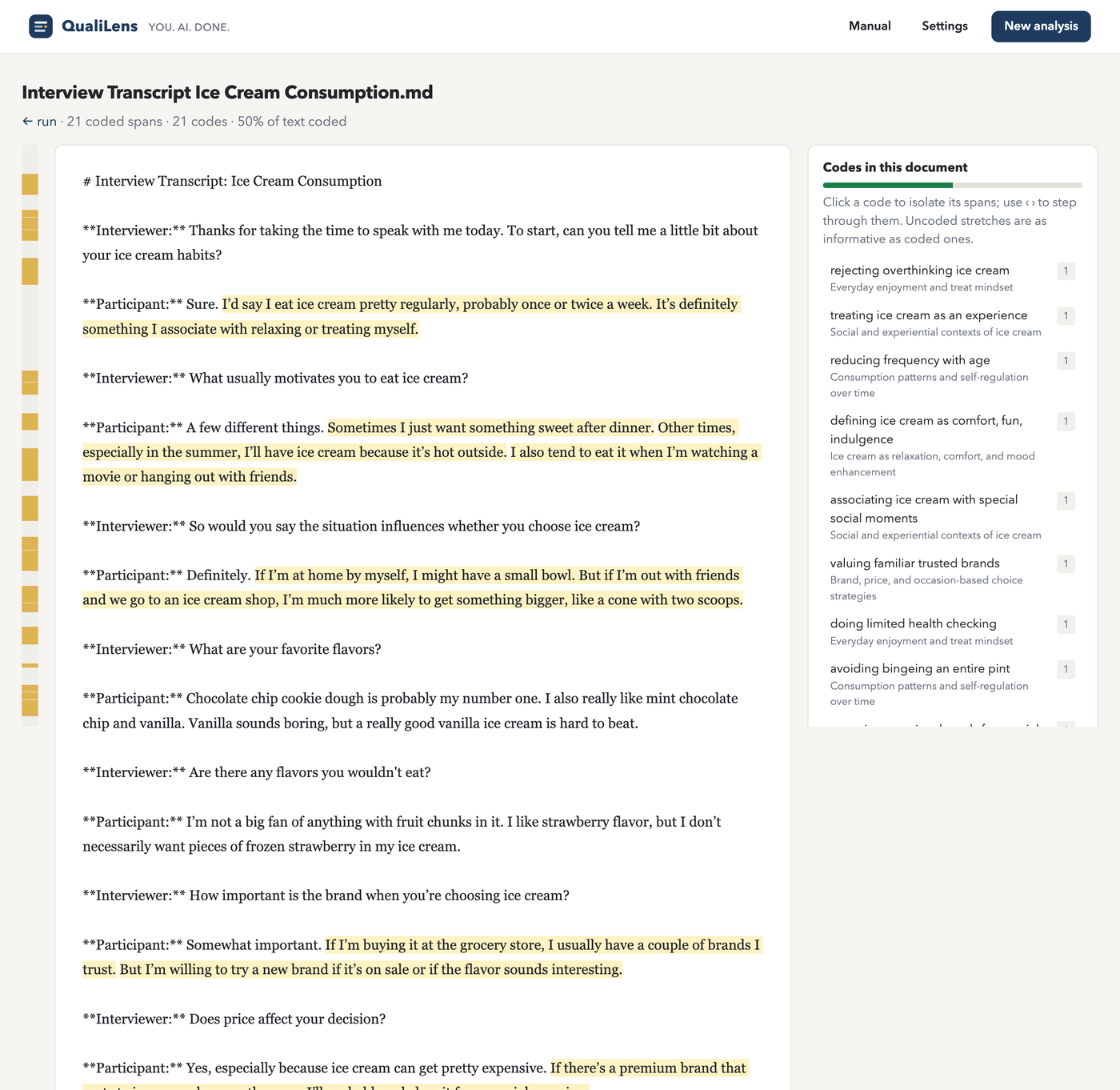
Coded-source reader
See your coding drawn over the original text.
The reader displays each source document with coded passages shaded in place. Where two excerpts overlap, the text is split at the boundary and shaded by the number of codes covering it, so dense coding stands out visually.
A minimap along the left edge represents the whole document, with marks at each coded span's position — you can see at a glance where coding clusters and where it thins out. Coverage is reported as the share of the document's characters lying inside at least one coded span.
Click any code in the panel to isolate its passages. With a code isolated, step buttons move you from one of its occurrences to the next through the document.
Reports and Word export
Interactive report, method-specific figure, full evidence, one-click .docx.
A completed run produces an interactive report with narrative sections (overview, findings by theme, integration, limitations), a method-appropriate figure, source buttons that open the coded-source reader, and a collapsible evidence section where all codes show their definitions and all excerpts beneath them.
The Word export builds a formatted .docx from the same data: Georgia at eleven points, title block, narrative, figure with caption, evidence listing (twelve excerpts per code), and audit appendix. The file is named after your project.
Method-specific figures
| Method | Figure | What it shows |
|---|---|---|
| Grounded theory | Paradigm flow model | Left-to-right flow: antecedent categories → core category → strategies and consequences |
| Thematic analysis | Thematic map | Each theme with constituent codes, excerpt counts in parentheses |
| Content analysis | Frequency chart | Horizontal bars per code; stacked by group when group comparison is on |
| Framework | Matrix heatmap | Sources by codes, each cell carrying its count, shaded by intensity |
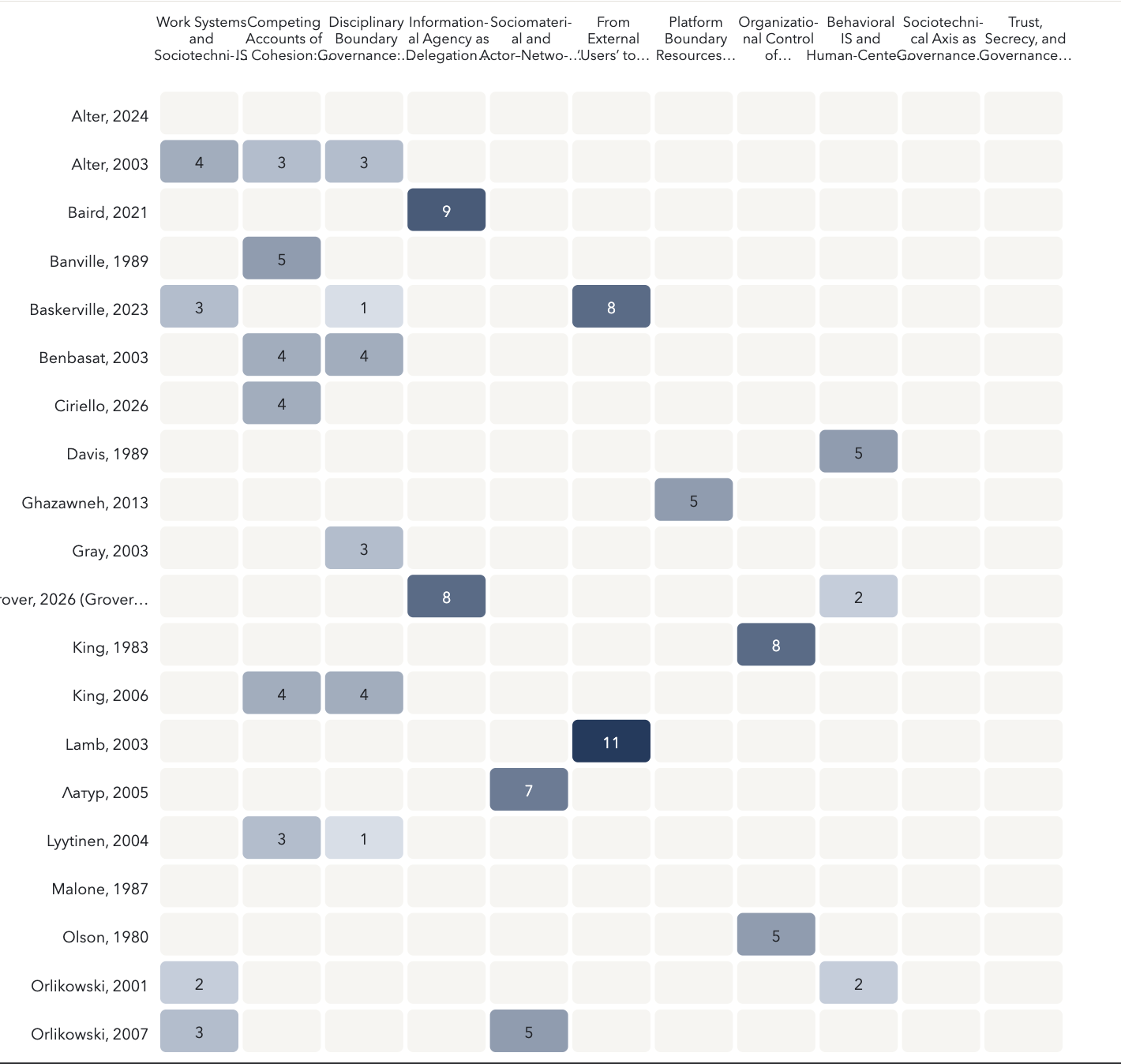
| Literature synthesis | Concept-by-paper heatmap | Papers by concepts, each cell carrying its count of supporting passages |
Figures disclose truncation on their face. The evidence section and tables beneath are complete.
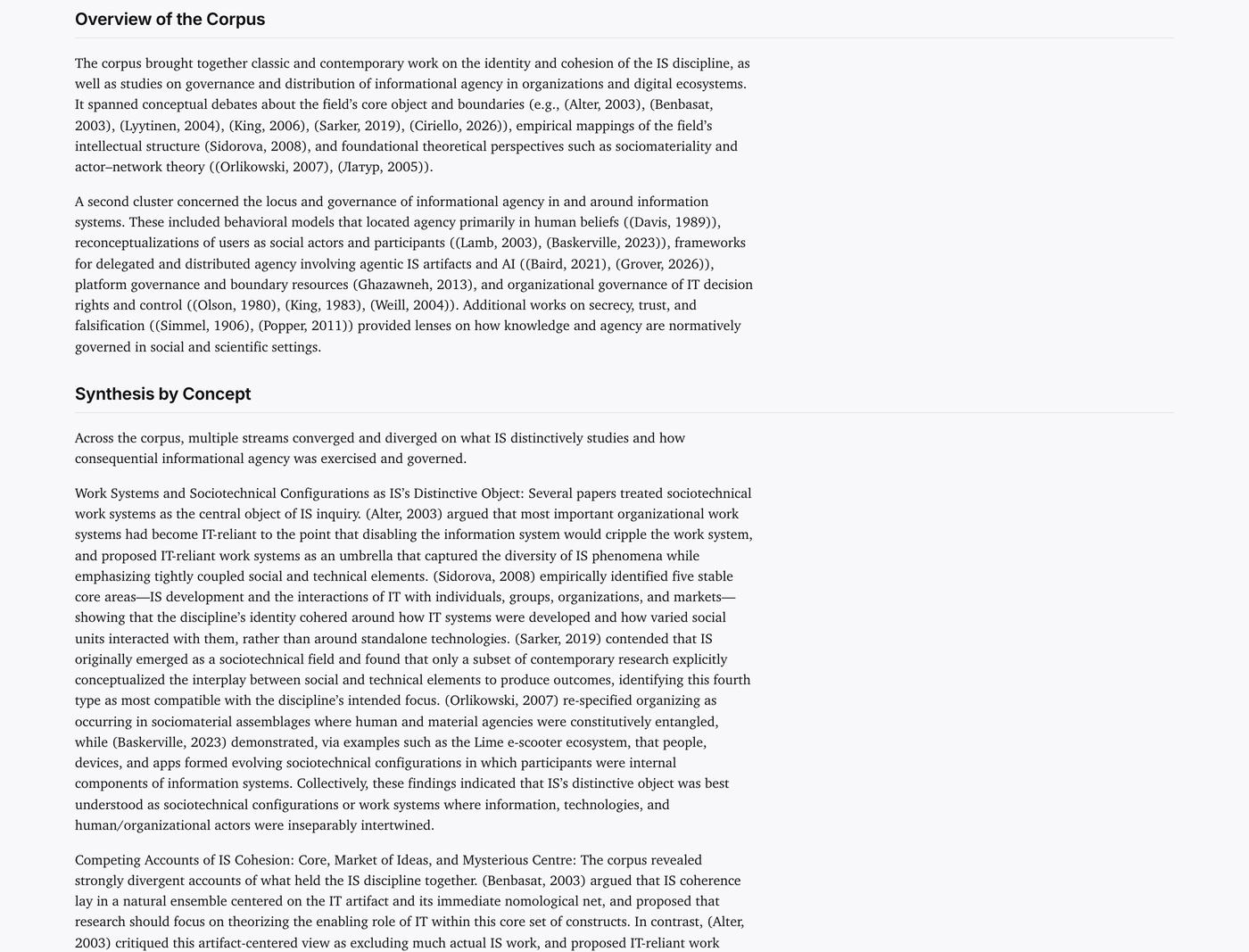
Branching and resumption
Revisit a checkpoint without losing the original run.
Any review a completed run has passed can be revisited. A branch carries everything up to that review — codes, evidence, earlier resolved reviews, and the decisions already recorded — into a new run and reopens the checkpoint. Stages after the review run again on the branch; the original run and its report are untouched.
Failed runs resume where they stopped. Resuming skips work already completed, so you are not re-billed for finished stages. Cancellation is honored immediately — the current model call finishes and nothing further is started.
Corpus-grounded literature synthesis
Every concept is grounded in quotes located in your uploaded papers; the narrative is guarded against citations and quotations that match none of them.
Literature synthesis extracts aims, method, sample, findings, and limitations from each paper, then builds a concept-by-paper matrix grounded strictly in the extraction quotes. Synthesis support must reference located extraction quotes by ID; ungrounded support is dropped and logged.
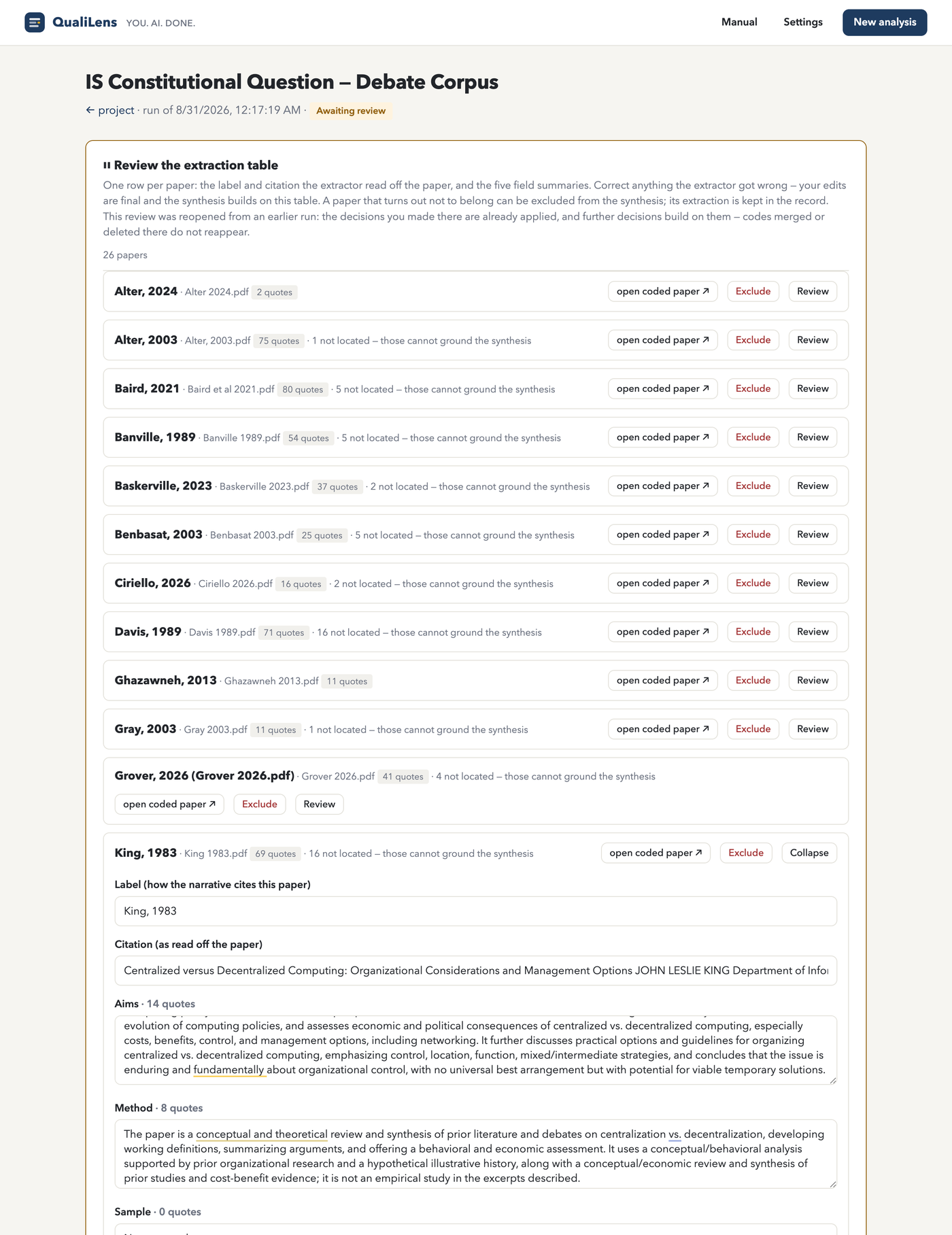
The extraction table presents each paper's five-field summary — aims, method, sample, findings, limitations — in a structured row with verbatim quote counts per field. Expanding a row shows the full extraction with the exact passages the model used. This table is both an intermediate checkpoint (you review and edit it before synthesis proceeds) and a standalone deliverable: the kind of structured evidence table a systematic review demands, built in minutes instead of weeks.
A citation guard scans the generated narrative for citation-shaped strings that match no uploaded paper. Any it finds are listed in the report's limitations section. This is a tripwire against fabricated references, not a validation of real ones.
Four providers, editable catalog
Your key, your account, direct connection.
Anthropic
Claude
OpenAI
GPT
Gemini
Mistral
Mistral
The model catalog is editable. A live model check compares the catalog against each provider's own listing endpoint — no tokens spent, nothing sent beyond your key — and, for Google, which keeps listing models it refuses to new projects, asks about each catalog model through a free endpoint too. A model marked ✗ is retired, or refused to your key; either way it is a prompt to pick a different one. You can also type any current model ID under "Custom model id" in the wizard.
Transcription of audio and video runs through OpenAI's Whisper service, regardless of which provider performs the analysis. If you upload recordings and use Anthropic, Google, or Mistral for coding, you still need an OpenAI key saved in Settings.
Before each run, the wizard estimates the cost based on your corpus size, chosen method, and model. The estimate covers the full pipeline — all stages, all documents — so you know what you are committing before the first model call.
Try it on one document
A single-transcript run typically costs a few cents and exposes all checkpoints before you commit a full corpus.